Lethal Enforcers Schematics
Lethal Enforcers (ver UAE, 11/19/92 15:04) (Konami, 1992) · Schematics · 11 pages · 11 sections · original scan
This page is a drawing, shown as the original scan.
This page is a drawing, shown as the original scan.
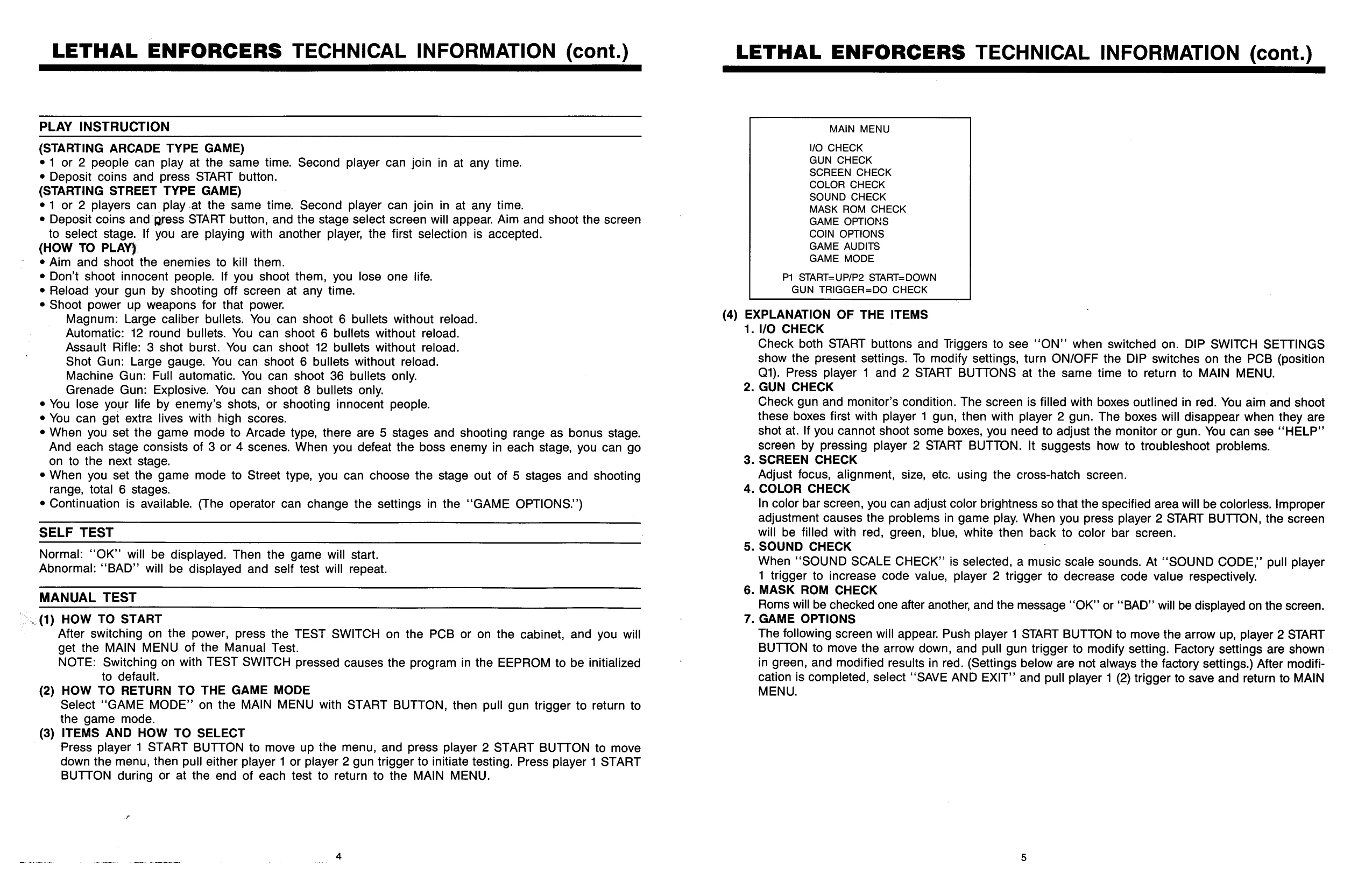
LETHAL ENFORCERS TECHNICAL INFORMATION (cont.)
PLAY INSTRUCTION
(STARTING ARCADE TYPE GAME) *1 or 2 people can play at the same time. Second player can join in at any time.
- Deposit coins and press START button. (STARTING STREET TYPE GAME) ¢1 or 2 players can play at the same time. Second player can join in at any time. © Deposit coins and press START button, and the stage select screen will appear. Aim and shoot the screen to select stage. If you are playing with another player, the first selection is accepted. (HOW TO PLAY) ¢ Aim and shoot the enemies to kill them.
- Don’t shoot innocent people. If you shoot them, you lose one life.
- Reload your gun by shooting off screen at any time.
- Shoot power up weapons for that power. Magnum: Large caliber bullets. You can shoot 6 bullets without reload. Automatic: 12 round bullets. You can shoot 6 bullets without reload. Assault Rifle: 3 shot burst. You can shoot 12 bullets without reload. Shot Gun: Large gauge. You can shoot 6 bullets without reload. Machine Gun: Full automatic. You can shoot 36 bullets only. Grenade Gun: Explosive. You can shoot 8 bullets only.
- You lose your life by enemy’s shots, or shooting innocent people.
- You can get extra lives with high scores. «When you set the game mode to Arcade type, there are 5 stages and shooting range as bonus stage. And each stage consists of 3 or 4 scenes. When you defeat the boss enemy in each stage, you can go on to the next stage.
- When you set the game mode to Street type, you can choose the stage out of 5 stages and shooting range, total 6 stages.
- Continuation is available. (The operator can change the settings in the ““GAME OPTIONS.’)
SELF TEST
Normal: “‘OK’’ will be displayed. Then the game will start. Abnormal: ‘‘BAD’’ will be displayed and self test will repeat.
MANUAL TEST " (1) HOW TO START After switching on the power, press the TEST SWITCH on the PCB or on the cabinet, and you will get the MAIN MENU of the Manual Test.
- HOW TO RETURN TO THE GAME MODE Select “GAME MODE” on the MAIN MENU with START BUTTON, then pull gun trigger to return to the game mode.
- ITEMS AND HOW TO SELECT Press player 1 START BUTTON to move up the menu, and press player 2 START BUTTON to move down the menu, then pull either player 1 or player 2 gun trigger to initiate testing. Press player 1 START BUTTON during or at the end of each test to return to the MAIN MENU.
MAIN MENU
VO CHECK GUN CHECK SCREEN CHECK COLOR CHECK SOUND CHECK MASK ROM CHECK GAME OPTIONS COIN OPTIONS GAME AUDITS GAME MODE
P1 START=UP/P2 START=DOWN GUN TRIGGER=DO CHECK
- EXPLANATION OF THE ITEMS
- 0 CHECK Check both START buttons and Triggers to see ‘“‘ON’’ when switched on. DIP SWITCH SETTINGS show the present settings. To modify settings, turn ON/OFF the DIP switches on the PCB (position Q1). Press player 1 and 2 START BUTTONS at the same time to return to MAIN MENU.
- GUN CHECK Check gun and monitor’s condition. The screen is filled with boxes outlined in red. You aim and shoot these boxes first with player 1 gun, then with player 2 gun. The boxes will disappear when they are shot at. If you cannot shoot some boxes, you need to adjust the monitor or gun. You can see ‘‘HELP”’ screen by pressing player 2 START BUTTON. It suggests how to troubleshoot problems.
- SCREEN CHECK Adjust focus, alignment, size, etc. using the cross-hatch screen.
- COLOR CHECK In color bar screen, you can adjust color brightness so that the specified area will be colorless. Improper adjustment causes the problems in game play. When you press player 2 START BUTTON, the screen will be filled with red, green, blue, white then back to color bar screen.
- SOUND CHECK When “‘SOUND SCALE CHECK” is selected, a music scale sounds. At “SOUND CODE,” pull player 1 trigger to increase code value, player 2 trigger to decrease code value respectively.
- MASK ROM CHECK Roms will be checked one after another, and the message ‘‘OK”’ or “BAD” will be displayed on the screen.
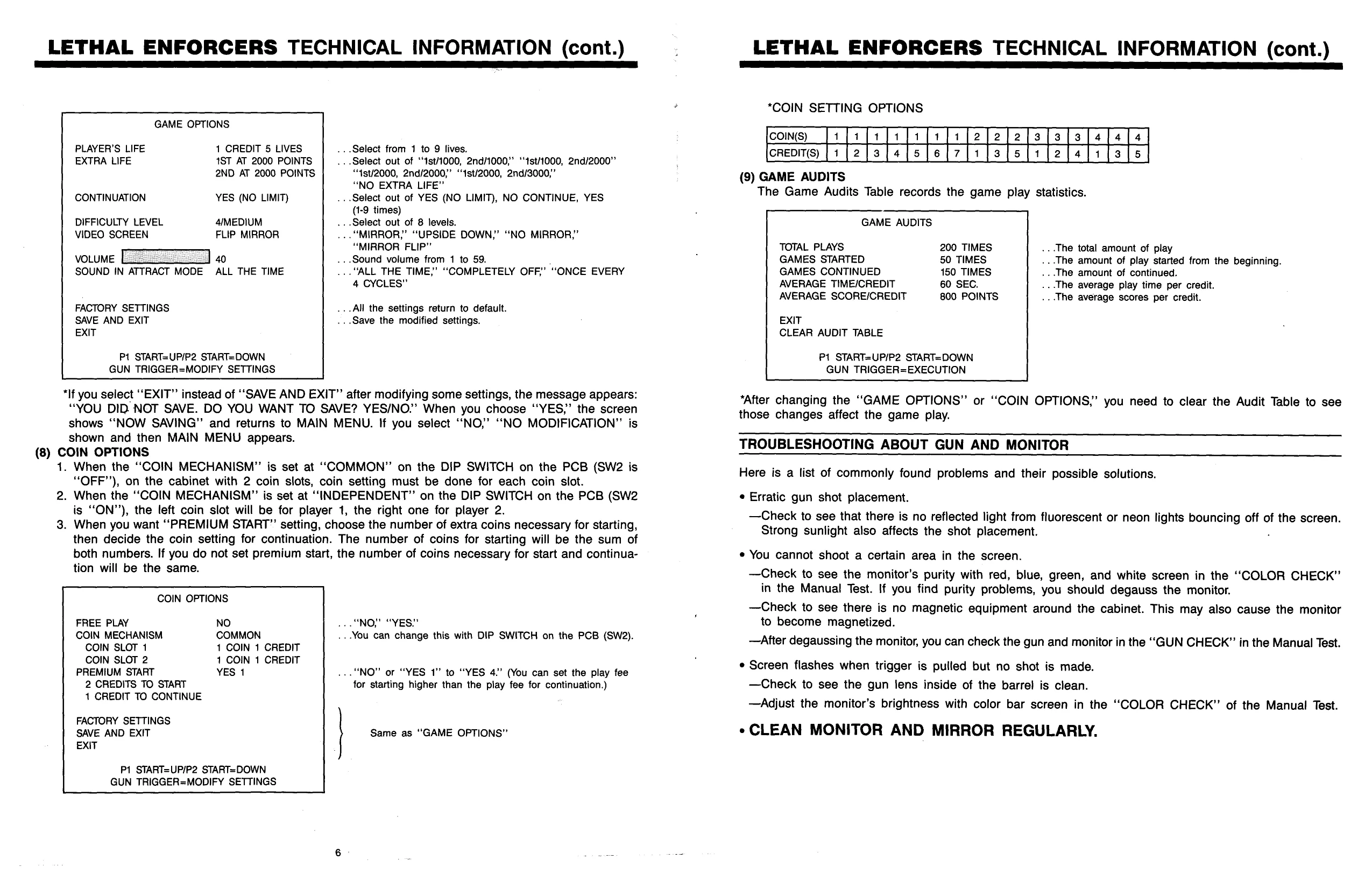
- GAME OPTIONS The following screen will appear. Push player 1 START BUTTON to move the arrow up, player 2 START BUTTON to move the arrow down, and pull gun trigger to modify setting. Factory settings are shown in green, and modified results in red. (Settings below are not always the factory settings.) After modification is completed, select “SAVE AND EXIT” and pull player 1 (2) trigger to save and return to MAIN MENU.
This page is a drawing, shown as the original scan.
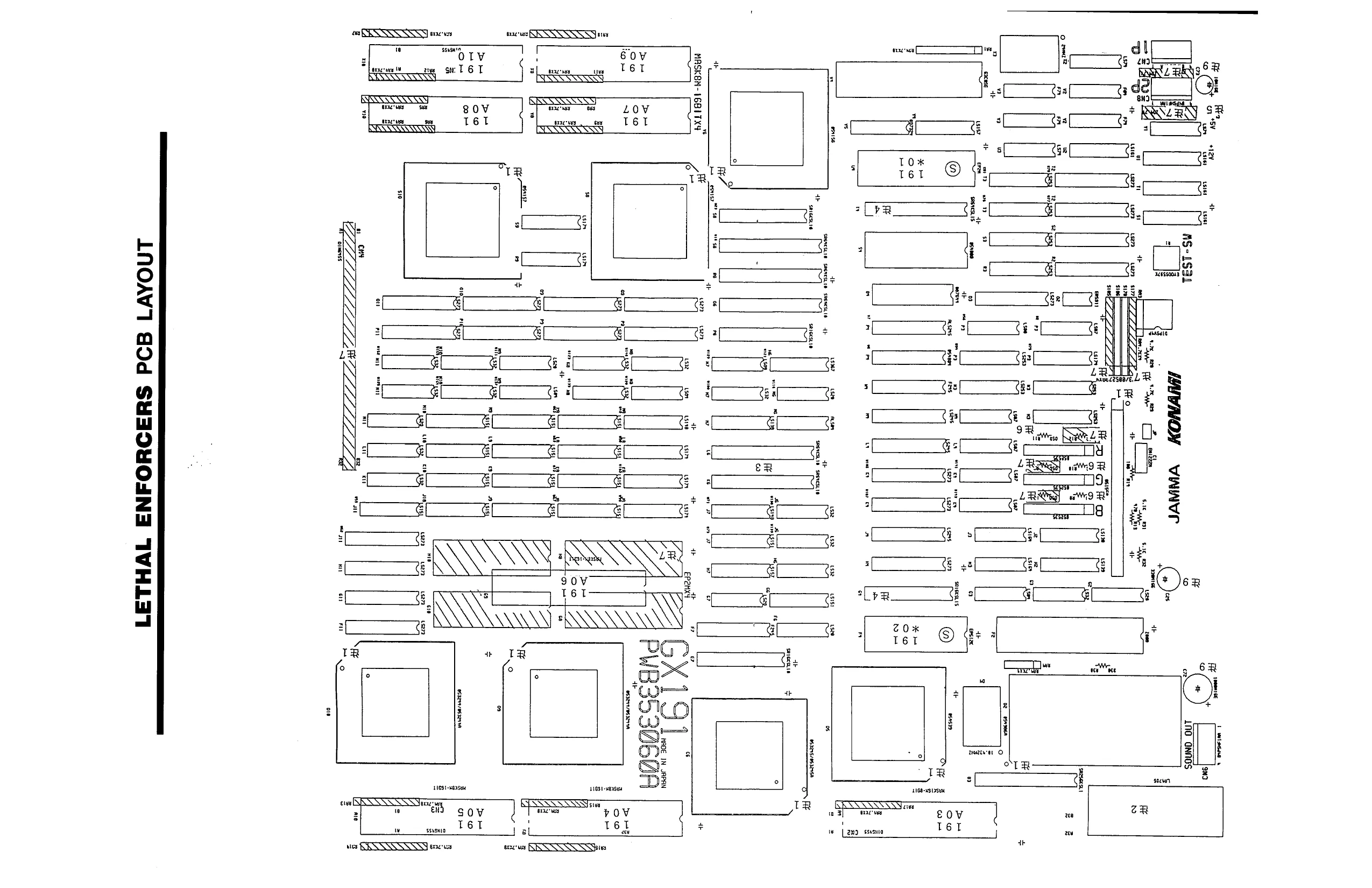
This page is a drawing, shown as the original scan.
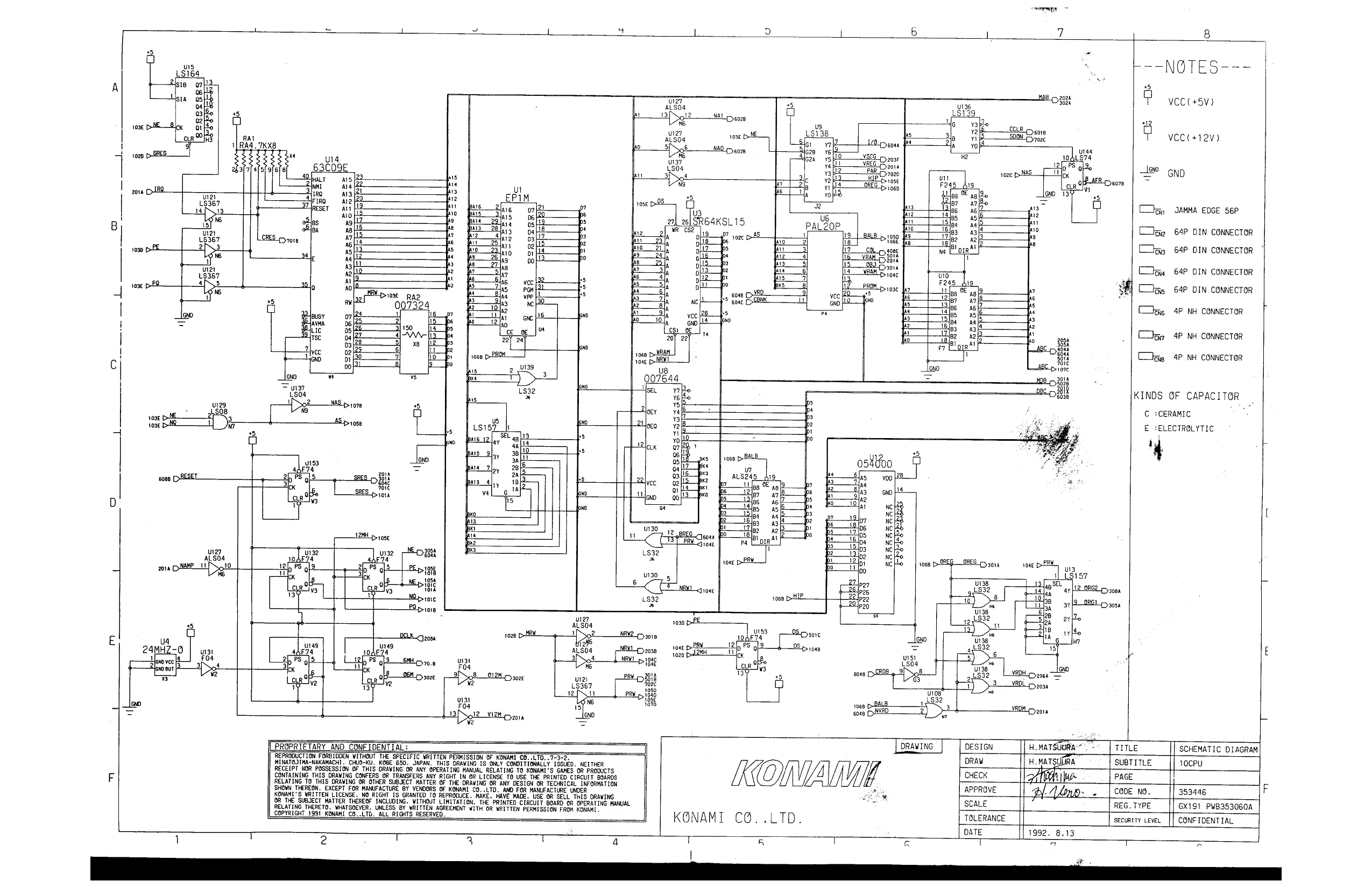
This page is a drawing, shown as the original scan.
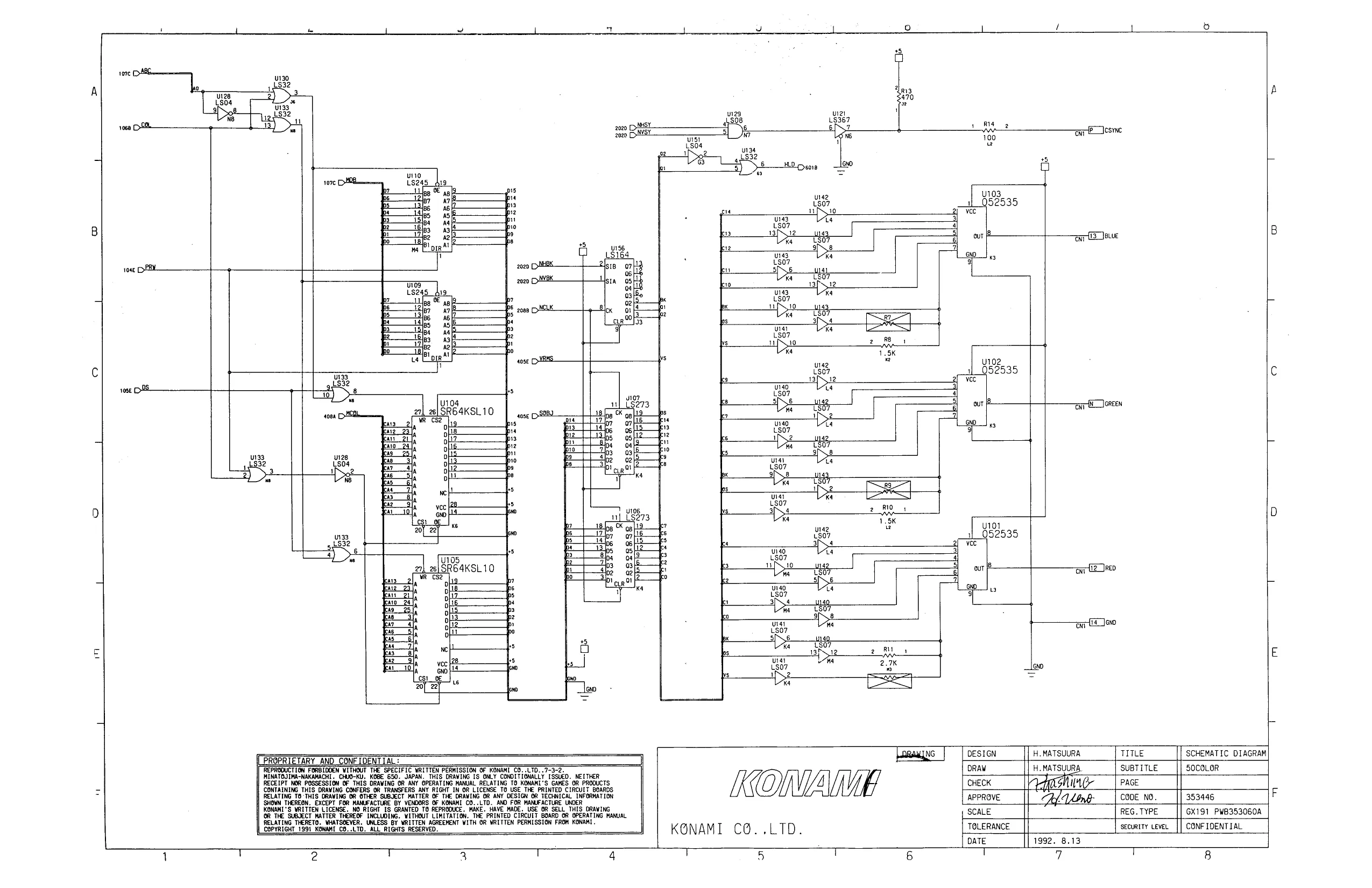
This page is a drawing, shown as the original scan.
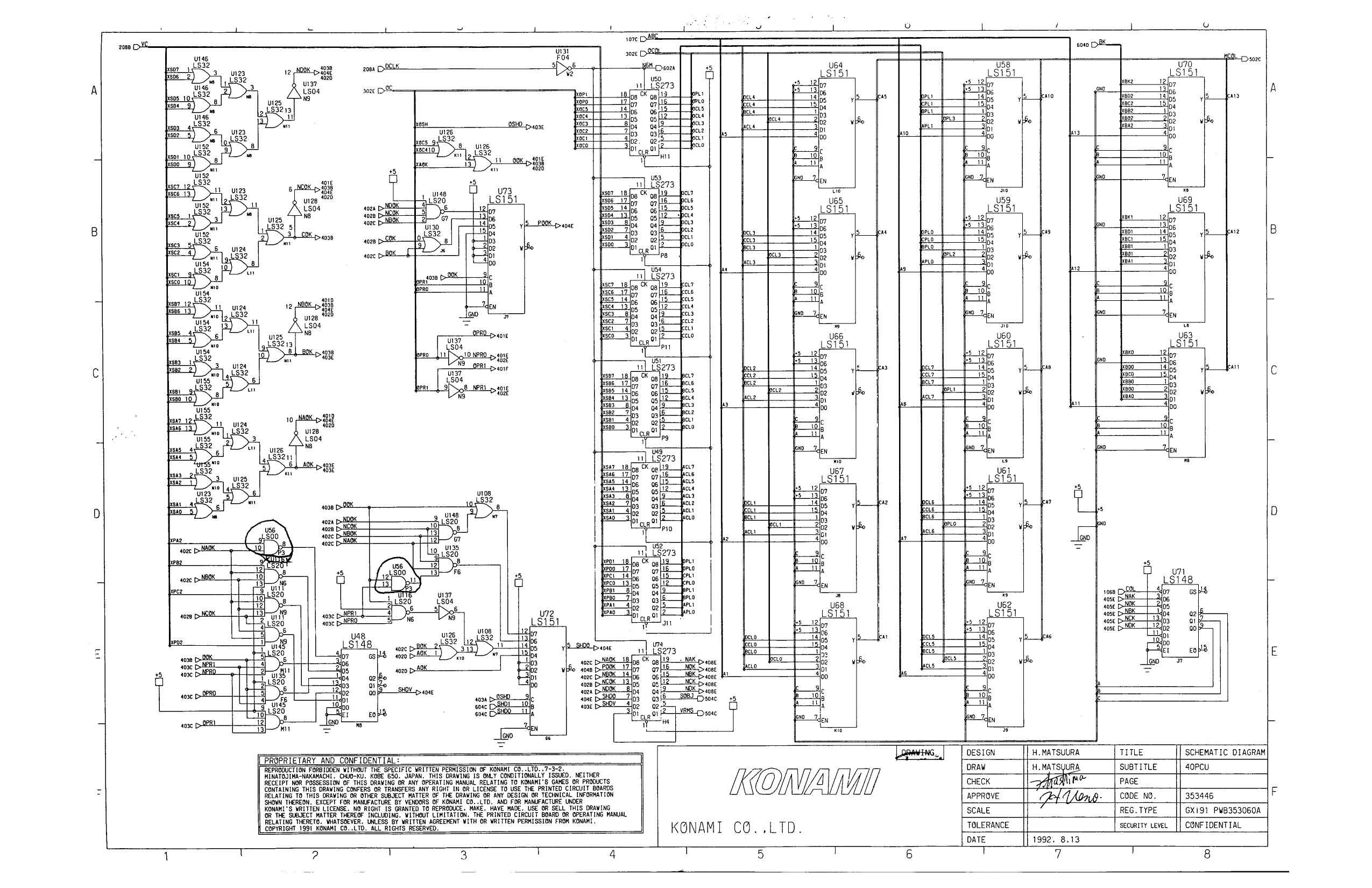
This page is a drawing, shown as the original scan.
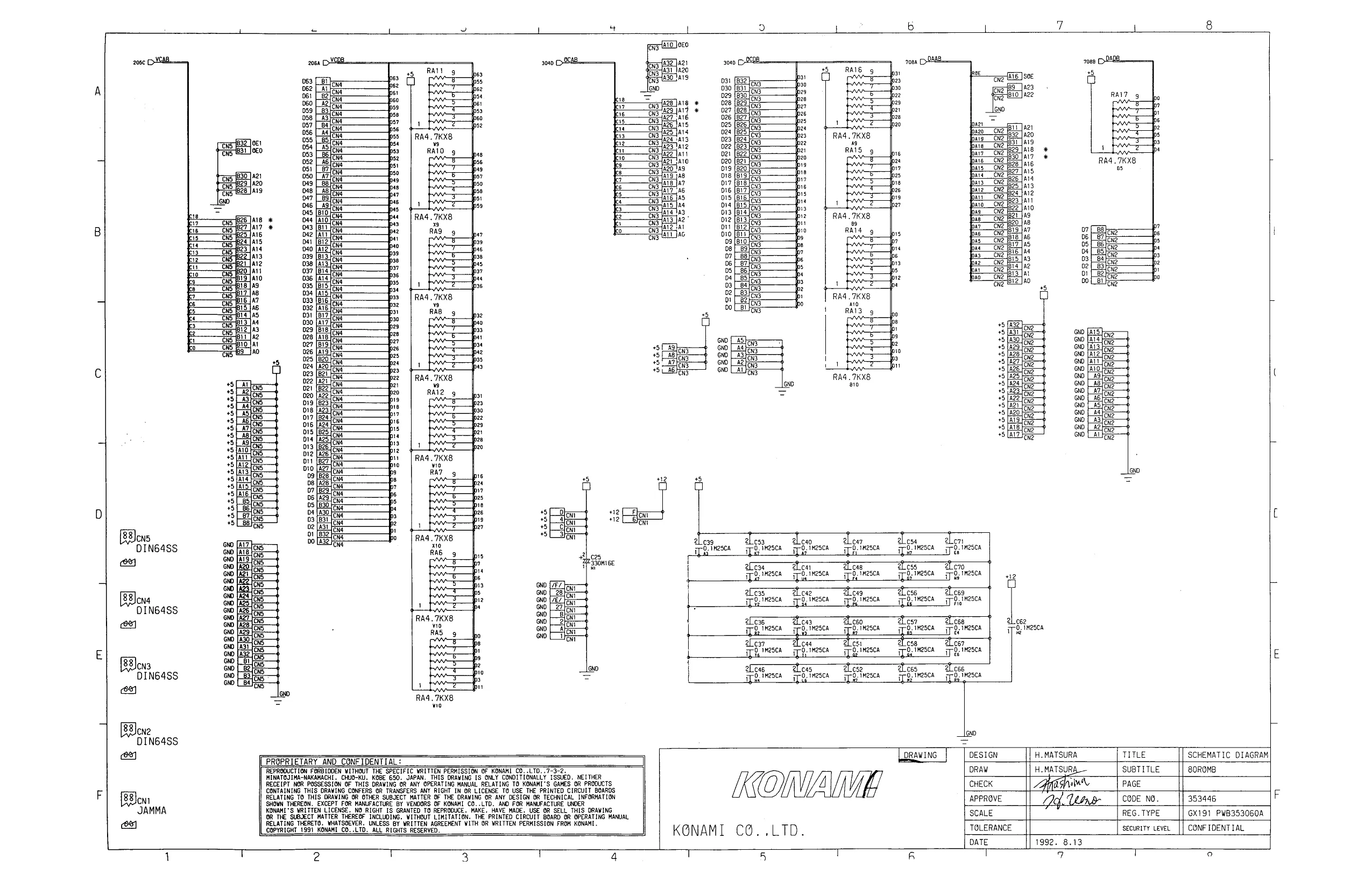
This page is a drawing, shown as the original scan.
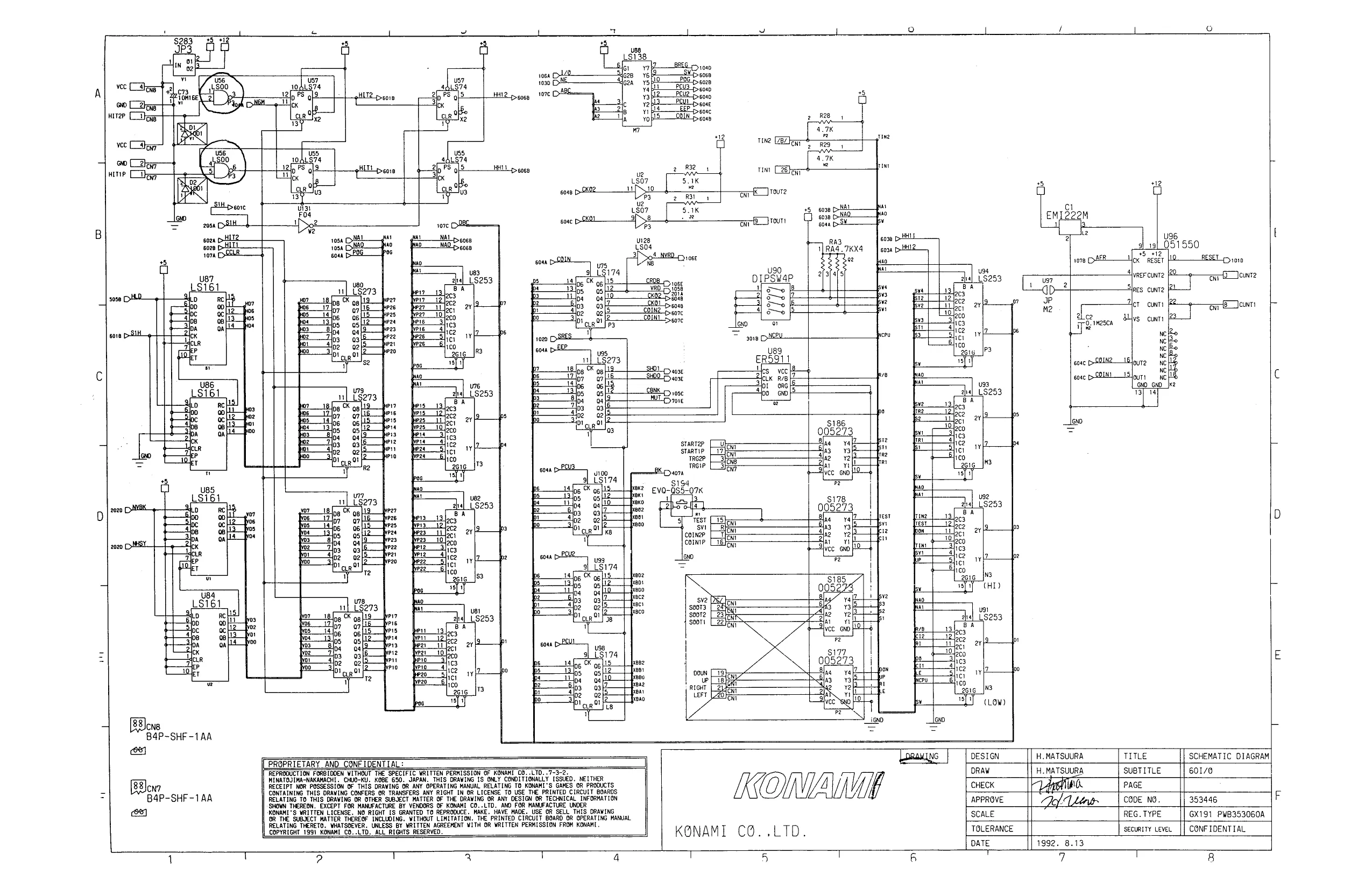
This page is a drawing, shown as the original scan.
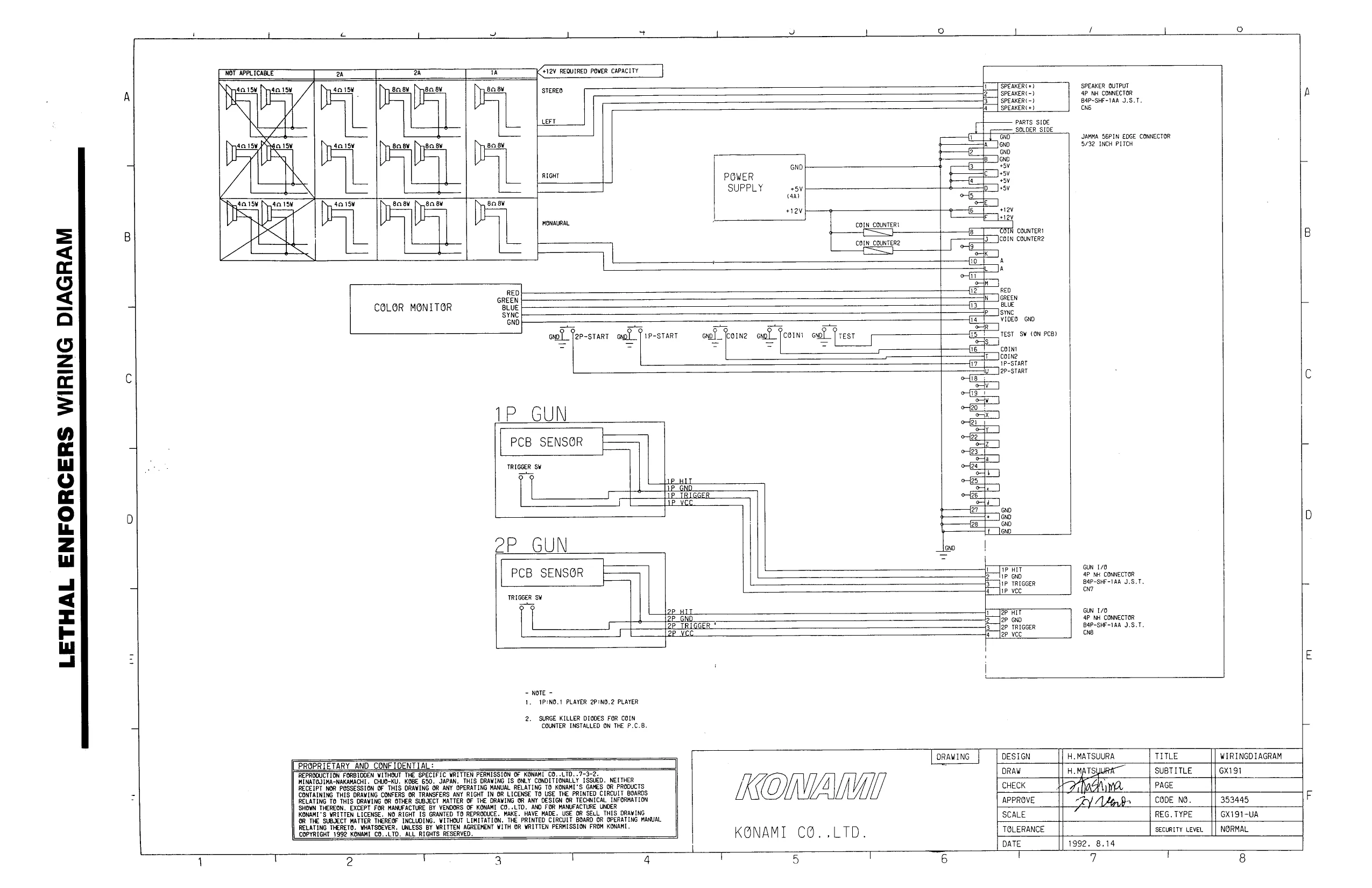
This page is a drawing, shown as the original scan.